Tag: delivery

  • Efficient Fish Shipping: Tips and Tricks for Using ShipStation and Pirate Ship

    One of the most frustrating aspects of buying and selling aquatic items online is the shipping cost. Services like ShipStation, Pirate Ship, and Shippo provide a valuable shipping tool that allows anyone to purchase deeply discounted USPS and UPS labels online. There’s no need to subscribe to any service; the only cost to you is the shipping label, which is typically about half the regular price!
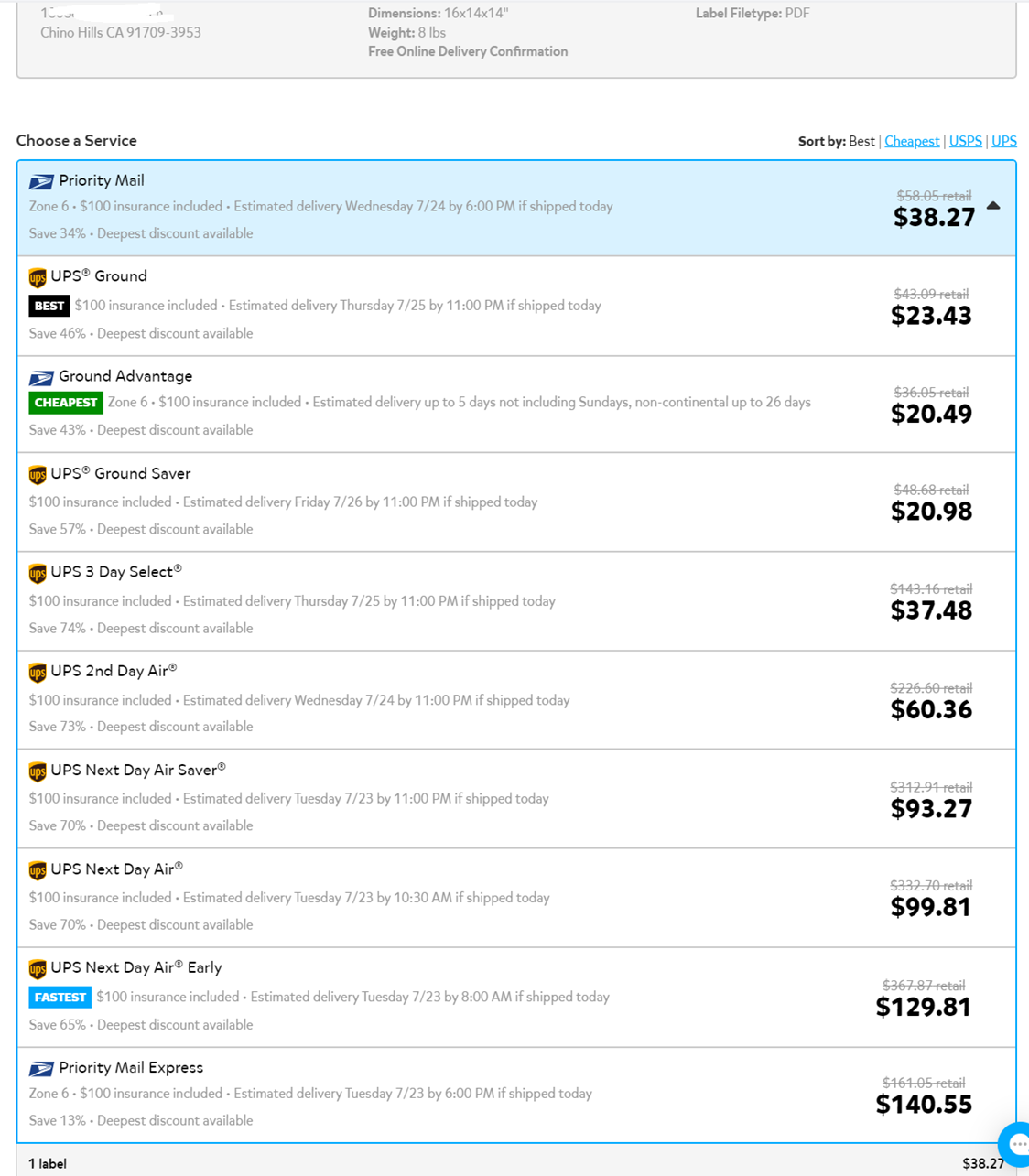
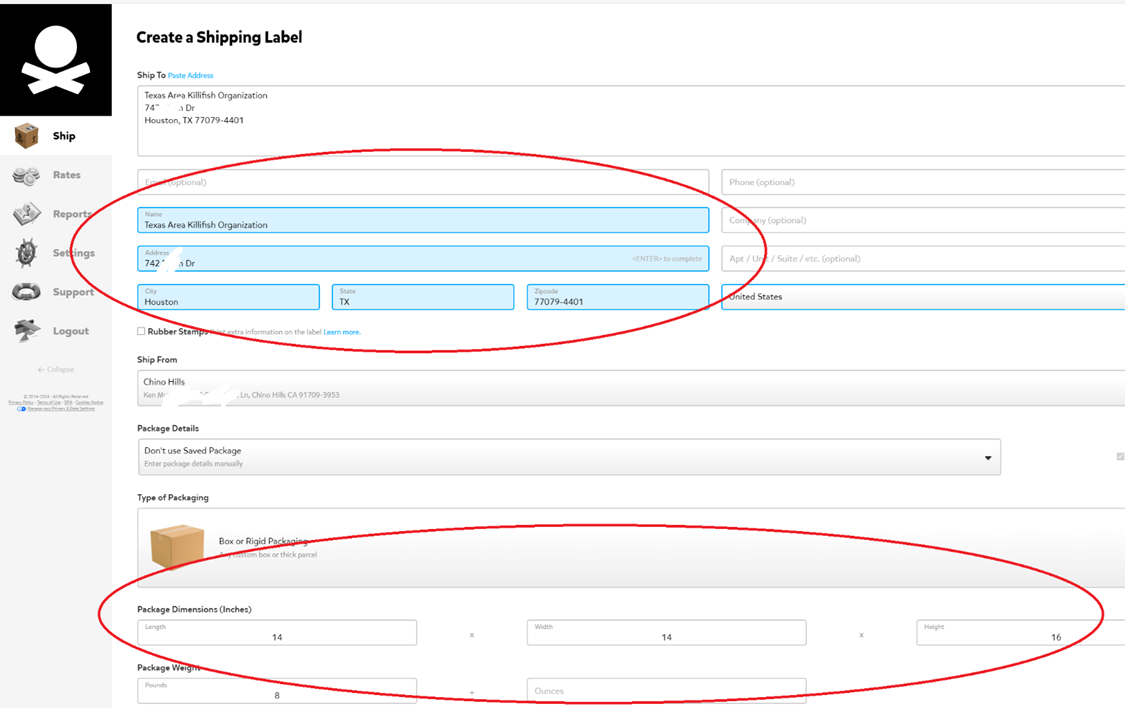
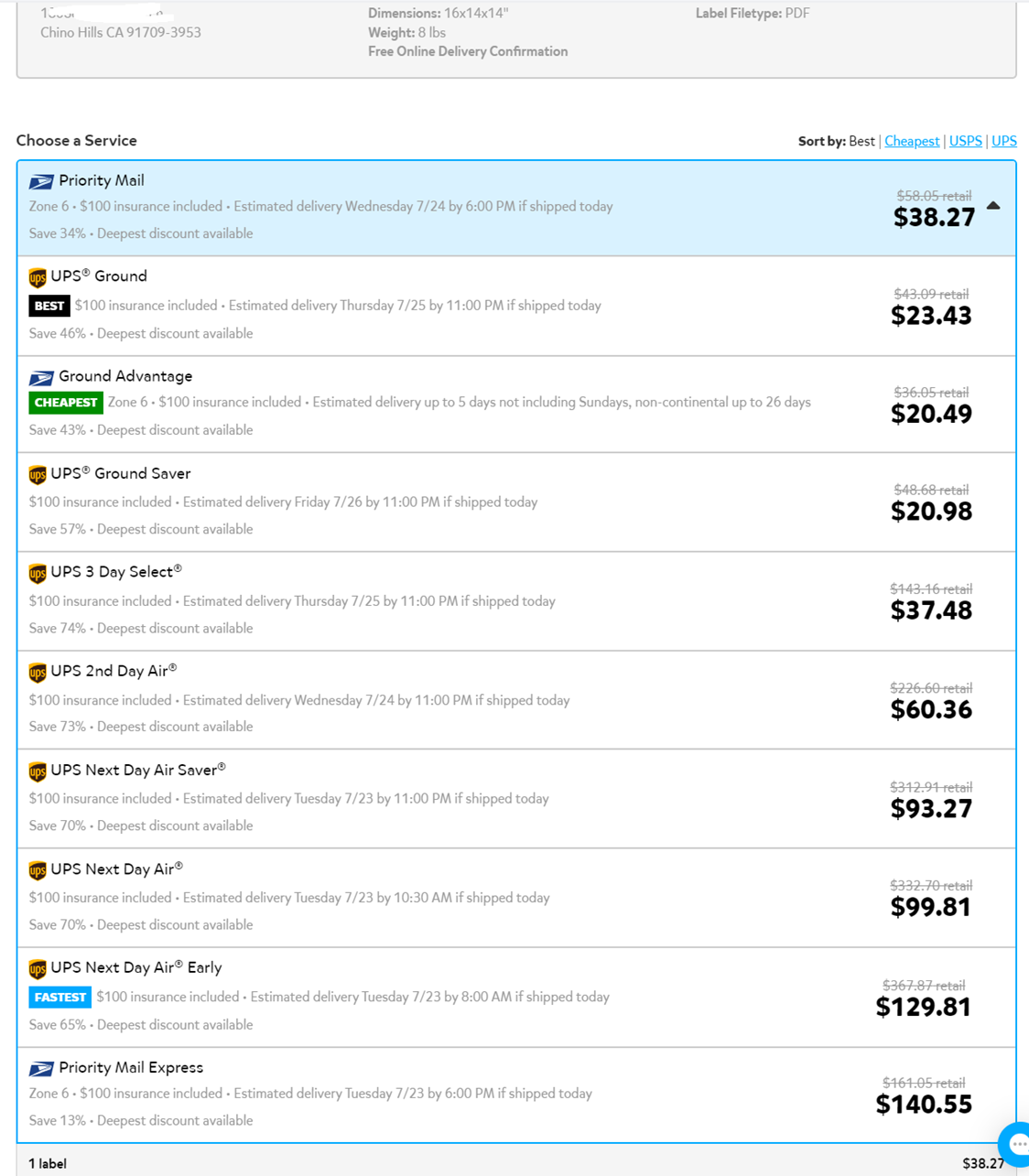
    Pirate Ship shows the options to ship a 14 x 14 x 16 box from Chino Hills, CA to Houston, TX.

    I have been using Pirate Ship for over a year and have been very happy with how cheap and easy it is to compare shipping options and ship my fish for the right balance of price and delivery speed. I recently discovered my PayPal integrates with another shipping tool, ShipStation, which I think is less user-friendly than Pirate Ship, but often has lower rates for UPS.

    Besides using platforms such as ShipStation and Pirate Ship to buy discounted labels, a few tricks when shipping fish that worth mentioning are:

    • If you’re sending a package within a few hours driving distance, UPS Ground delivers next day
    • When sending fish to places with extremely hot or cold weather, don’t leave the box outside exposed to the elements. You can have UPS deliver to one of their hubs, or USPS to hold it at a Post Office with their “General Delivery” service.
    • Insulate the box to avoid temperature swings. Putting bags of fish inside bubble mailer envelopes, then putting the envelopes inside a box makes doubles as quick insulation and as waterproofing in case of a leak.
    • Catch your fish for the day before bagging them and don’t feed them. Fish can live without food for many days, but will die quickly if the water fouls from their waste products.

    How to use PayPal’s integration to ShipStation

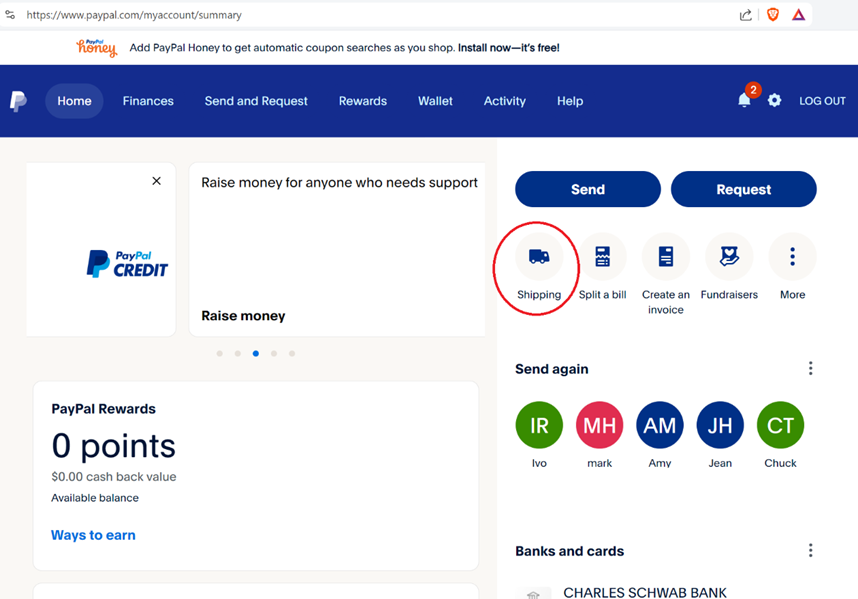
    1. Log onto PayPal and click on shipping from the Home Page
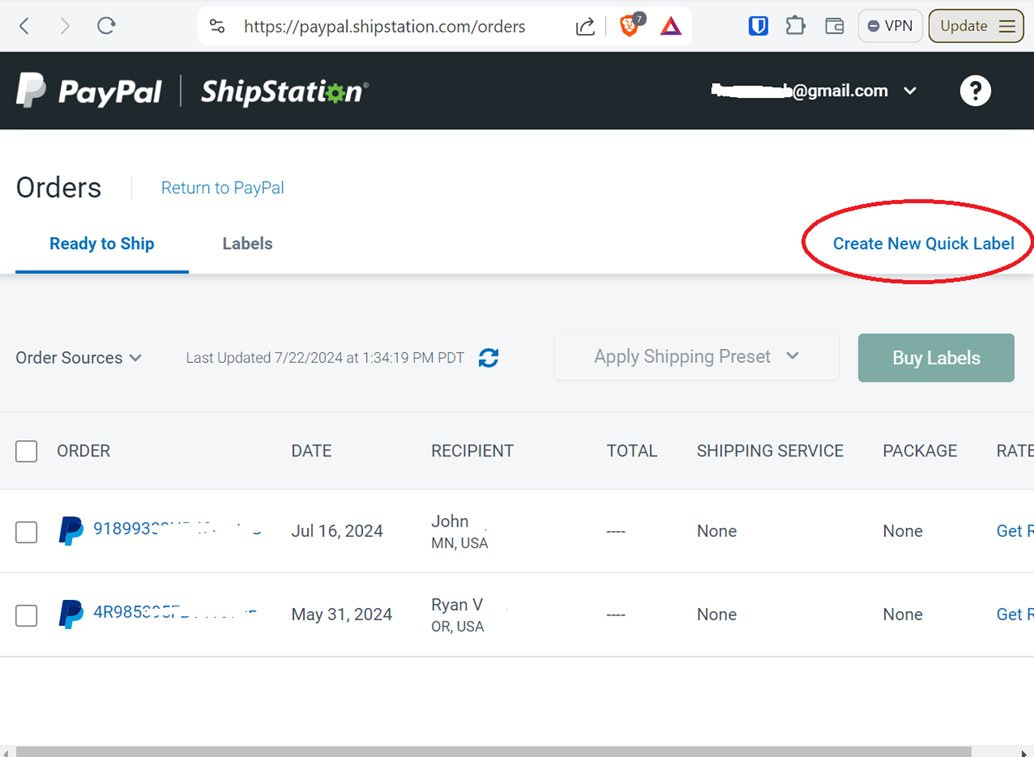
    2. Create a new label
    3. Enter the address you’re shipping to, the dimensions and weight of the package, then click on “Calculate Rates”.  You’ll see shipping options by USPS and UPS.  Select an option and purchase your label, which can be printed and attached to your package.
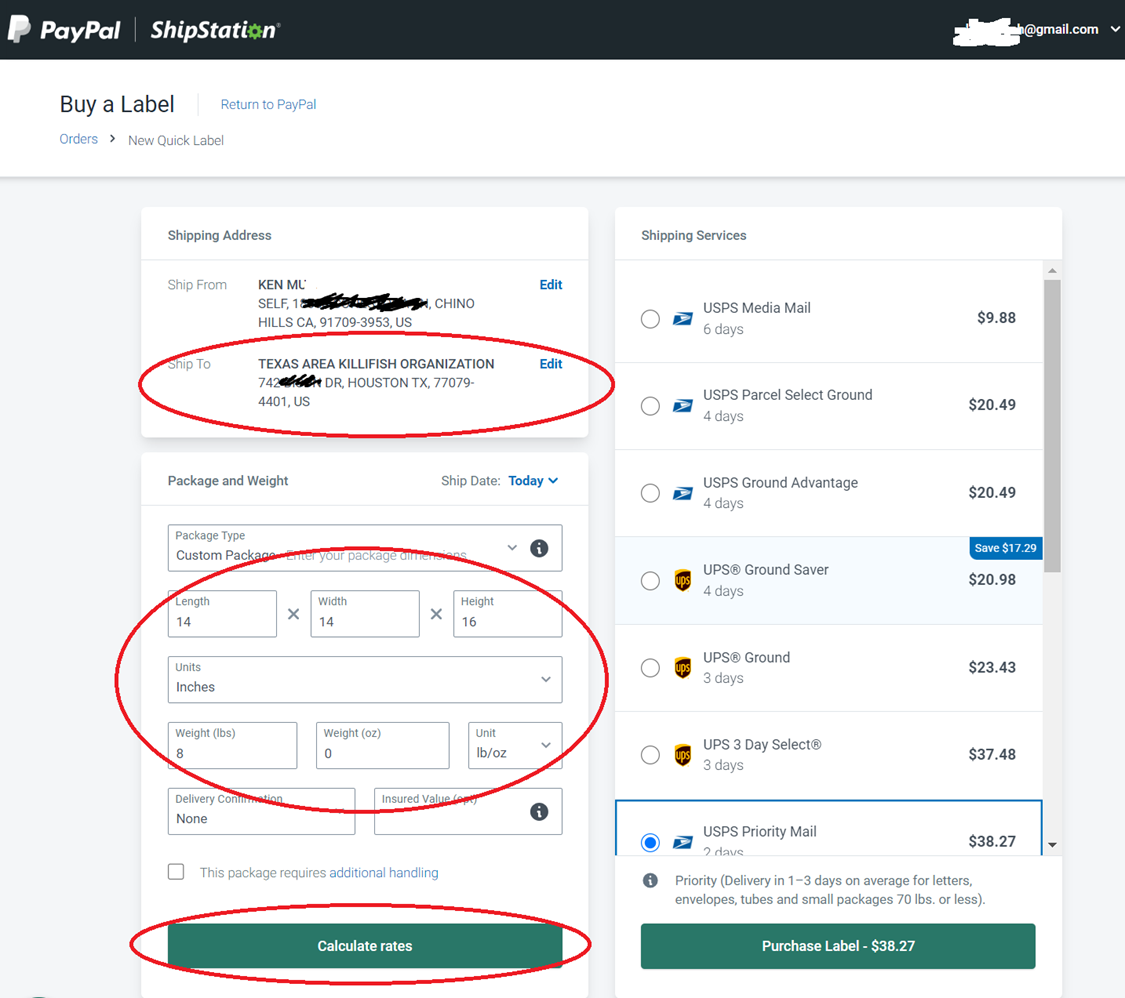
    Compared to buying directly from USPS, using ShipStation is $20 cheaper

    How to use Pirate Ship

    Go to https://www.pirateship.com/ and create a free account or sign in. Once you create a free account, create a shipping label
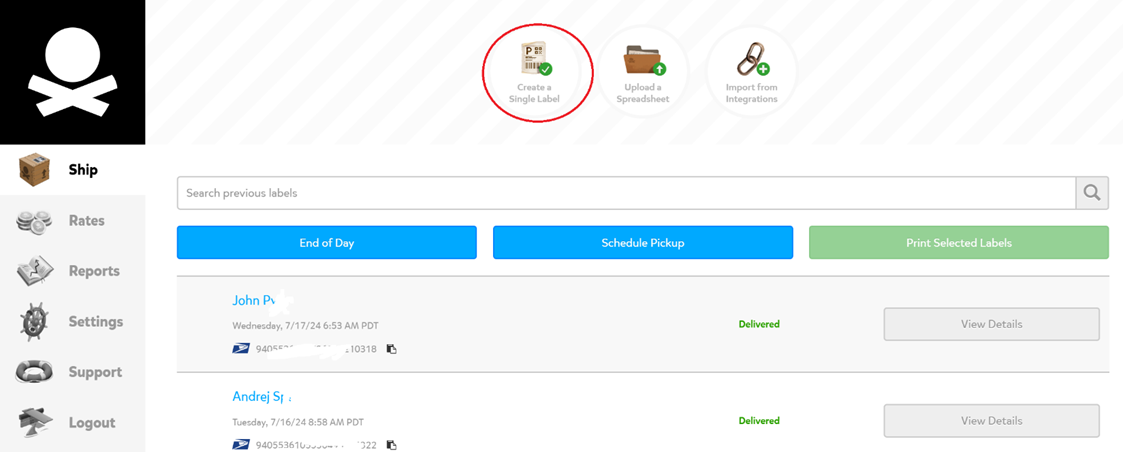
    Enter address + weights and dimensions, then scroll down and click on “Get Rates”
    Choose the shipping option that has the best balance of delivery time and price
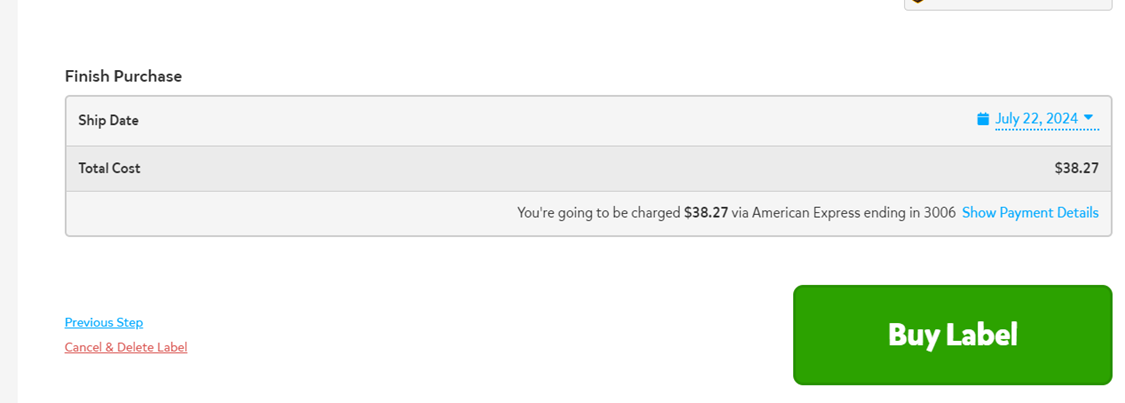
    Select your shipping option and buy the label.  You can print it from your computer and drop off your package!
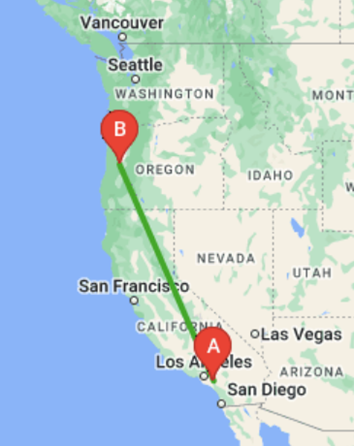
    Recent Examples of items I shipped with Pirate Ship
  • Efficient Fish Shipping: Tips and Tricks for Using ShipStation and Pirate Ship

    One of the most frustrating aspects of buying and selling aquatic items online is the shipping cost. Services like ShipStation, Pirate Ship, and Shippo provide a valuable shipping tool that allows anyone to purchase deeply discounted USPS and UPS labels online. There’s no need to subscribe to any service; the only cost to you is the shipping label, which is typically about half the regular price!

    Pirate Ship shows the options to ship a 14 x 14 x 16 box from Chino Hills, CA to Houston, TX.

    I have been using Pirate Ship for over a year and have been very happy with how cheap and easy it is to compare shipping options and ship my fish for the right balance of price and delivery speed. I recently discovered my PayPal integrates with another shipping tool, ShipStation, which I think is less user-friendly than Pirate Ship, but often has lower rates for UPS.

    Besides using platforms such as ShipStation and Pirate Ship to buy discounted labels, a few tricks when shipping fish that worth mentioning are:

    • If you’re sending a package within a few hours driving distance, UPS Ground delivers next day
    • When sending fish to places with extremely hot or cold weather, don’t leave the box outside exposed to the elements. You can have UPS deliver to one of their hubs, or USPS to hold it at a Post Office with their “General Delivery” service.
    • Insulate the box to avoid temperature swings. Putting bags of fish inside bubble mailer envelopes, then putting the envelopes inside a box makes doubles as quick insulation and as waterproofing in case of a leak.
    • Catch your fish for the day before bagging them and don’t feed them. Fish can live without food for many days, but will die quickly if the water fouls from their waste products.

    How to use PayPal’s integration to ShipStation

    1. Log onto PayPal and click on shipping from the Home Page

    2. Create a new label

    3. Enter the address you’re shipping to, the dimensions and weight of the package, then click on “Calculate Rates”.  You’ll see shipping options by USPS and UPS.  Select an option and purchase your label, which can be printed and attached to your package.

    Compared to buying directly from USPS, using ShipStation is $20 cheaper

    How to use Pirate Ship

    Go to https://www.pirateship.com/ and create a free account or sign in. Once you create a free account, create a shipping label

    Enter address + weights and dimensions, then scroll down and click on “Get Rates”

    Choose the shipping option that has the best balance of delivery time and price

    Select your shipping option and buy the label.  You can print it from your computer and drop off your package!

    Recent Examples of items I shipped with Pirate Ship

  • Efficient Fish Shipping: Tips and Tricks for Using ShipStation and Pirate Ship

    One of the most frustrating aspects of buying and selling aquatic items online is the shipping cost. Services like ShipStation, Pirate Ship, and Shippo provide a valuable shipping tool that allows anyone to purchase deeply discounted USPS and UPS labels online. There’s no need to subscribe to any service; the only cost to you is the shipping label, which is typically about half the regular price!

    Pirate Ship shows the options to ship a 14 x 14 x 16 box from Chino Hills, CA to Houston, TX.

    I have been using Pirate Ship for over a year and have been very happy with how cheap and easy it is to compare shipping options and ship my fish for the right balance of price and delivery speed. I recently discovered my PayPal integrates with another shipping tool, ShipStation, which I think is less user-friendly than Pirate Ship, but often has lower rates for UPS.

    Besides using platforms such as ShipStation and Pirate Ship to buy discounted labels, a few tricks when shipping fish that worth mentioning are:

    • If you’re sending a package within a few hours driving distance, UPS Ground delivers next day
    • When sending fish to places with extremely hot or cold weather, don’t leave the box outside exposed to the elements. You can have UPS deliver to one of their hubs, or USPS to hold it at a Post Office with their “General Delivery” service.
    • Insulate the box to avoid temperature swings. Putting bags of fish inside bubble mailer envelopes, then putting the envelopes inside a box makes doubles as quick insulation and as waterproofing in case of a leak.
    • Catch your fish for the day before bagging them and don’t feed them. Fish can live without food for many days, but will die quickly if the water fouls from their waste products.

    How to use PayPal’s integration to ShipStation

    1. Log onto PayPal and click on shipping from the Home Page

    2. Create a new label

    3. Enter the address you’re shipping to, the dimensions and weight of the package, then click on “Calculate Rates”.  You’ll see shipping options by USPS and UPS.  Select an option and purchase your label, which can be printed and attached to your package.

    Compared to buying directly from USPS, using ShipStation is $20 cheaper

    How to use Pirate Ship

    Go to https://www.pirateship.com/ and create a free account or sign in. Once you create a free account, create a shipping label

    Enter address + weights and dimensions, then scroll down and click on “Get Rates”

    Choose the shipping option that has the best balance of delivery time and price

    Select your shipping option and buy the label.  You can print it from your computer and drop off your package!

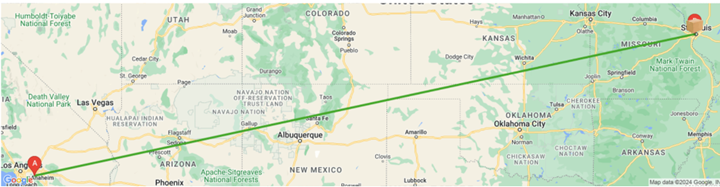
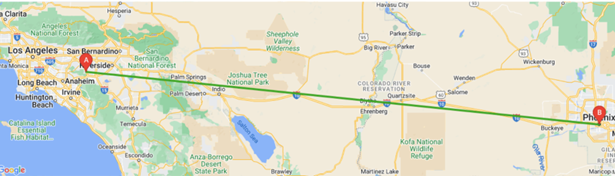
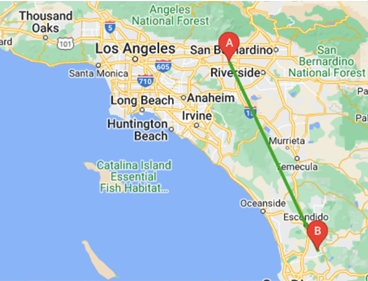
    Recent Examples of items I shipped with Pirate Ship